|
|
|
|
|
This software was checked for viruses 4 months ago and was found to contain no viruses.
Click here
to see antivirus report.
|
|
| |
|
|
Video tutorial for Bookmark Converter 3.1
This video tutorial has been acquired from Downloadtube.com
|
Review
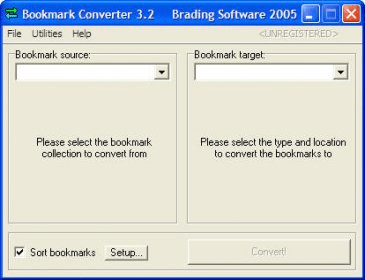
Bookmark Converter allows you to convert or merge bookmarks between all big browser brands, in any direction: Internet Explorer, Firefox and Firebird/Phoenix, Netscape, Opera, all versions. The main window that comes up after starting Bookmark Converter is the tool that can be used to convert bookmark collections between different formats. If you for example have been using Netscape as your main browser for a while, but now have decided to switch to Internet Explorer or Opera instead, you might have quite a large collection of bookmarks in your Netscape browser, which you of course now want to be able to bring with you to your new browser. |
What's new in version 3.2
- Added support for the latest versions of all supported browsers (Internet Explorer 6.0 SP1, Firefox 1.0.1, Opera 7.54, Mozilla 1.7.5, Netscape 7.2). (beta 1) - Added support for the description/comment and keyword/shortname fields for bookmarks and folders, in all browsers where it is applicable. (beta 1) - Fixed a bug that under certain conditions could cause a crash when converting from Opera bookmark collections that contained subfolders in the Personal Bar folder. (beta 1) - Fixed a bug that could cause errors when outputting IE favorites from bookmarks having a leading space. (beta 1) - Added handling of a newly found illegal naming condition in Windows file systems, during writing of IE favorites. (beta 1) - Made the importing code for Netscape/Mozilla/Firebird/Phoenix bookmark files more tolerant to some custom modifications of the bookmark file that might be done by other third party products. (beta 1) What's new in version 3.1
Major update, supports more browsers and lots of new features |
|
Report a wrong version
Report a wrong program title
Suggest a correction
|
Screenshots
|
|
|